



Overview
You just got discharged from the hospital and need to file a claim. You call the insurer, get transferred twice, and 40 minutes later, you still have no idea what is happening with your claim. Sound familiar? That is one of the biggest frustrations people have with health insurance.
The good news is that Niva Bupa has built out several contact channels, so you are not stuck with just one option. Whether you want to chat on WhatsApp at midnight or visit a branch in person, there is a way.
This article covers Niva Bupa contact details, explains how each channel works, outlines what to do if your issue isn't being resolved, and where to escalate if needed.
Niva Bupa Customer Care: All Contact Channels
How to Reach Niva Bupa Customer Care by Phone
The primary Niva Bupa customer care number is 1860-500-8888. It handles emergency claim intimation 24x7, with general support during business hours. This is the number to call for claims, policy questions, renewals, and general support. Let’s have a look at how the process works.
- When you call, you will be prompted to choose an option.
- Press the one that matches your need, whether it is a claim update, policy change, or something else.
- Have your policy number ready before you dial. It speeds things up significantly.
If you are looking to buy a new plan and have not purchased one yet, use 1800-309-3333 instead. This is a toll-free number dedicated to new policy inquiries.
Talk to an expert
today and
find
the right
insurance for you.


Niva Bupa WhatsApp Support: How It Works
Niva Bupa customer care WhatsApp number is 9811956696. Save it, then send a "Hi" or "Hello" to get started.
The WhatsApp bot will show you a list of options. You can use it to download your policy document, get your health card, check premium receipts, and get quick answers to common questions. It is available 24x7.
Please Note: WhatsApp is best for routine queries and document downloads. For complex issues like claim disputes or grievances, calling the helpline or emailing is a better move. You always want a paper trail for anything that might need follow-up.
Niva Bupa Insta Assist: Self-Service Portal Guide
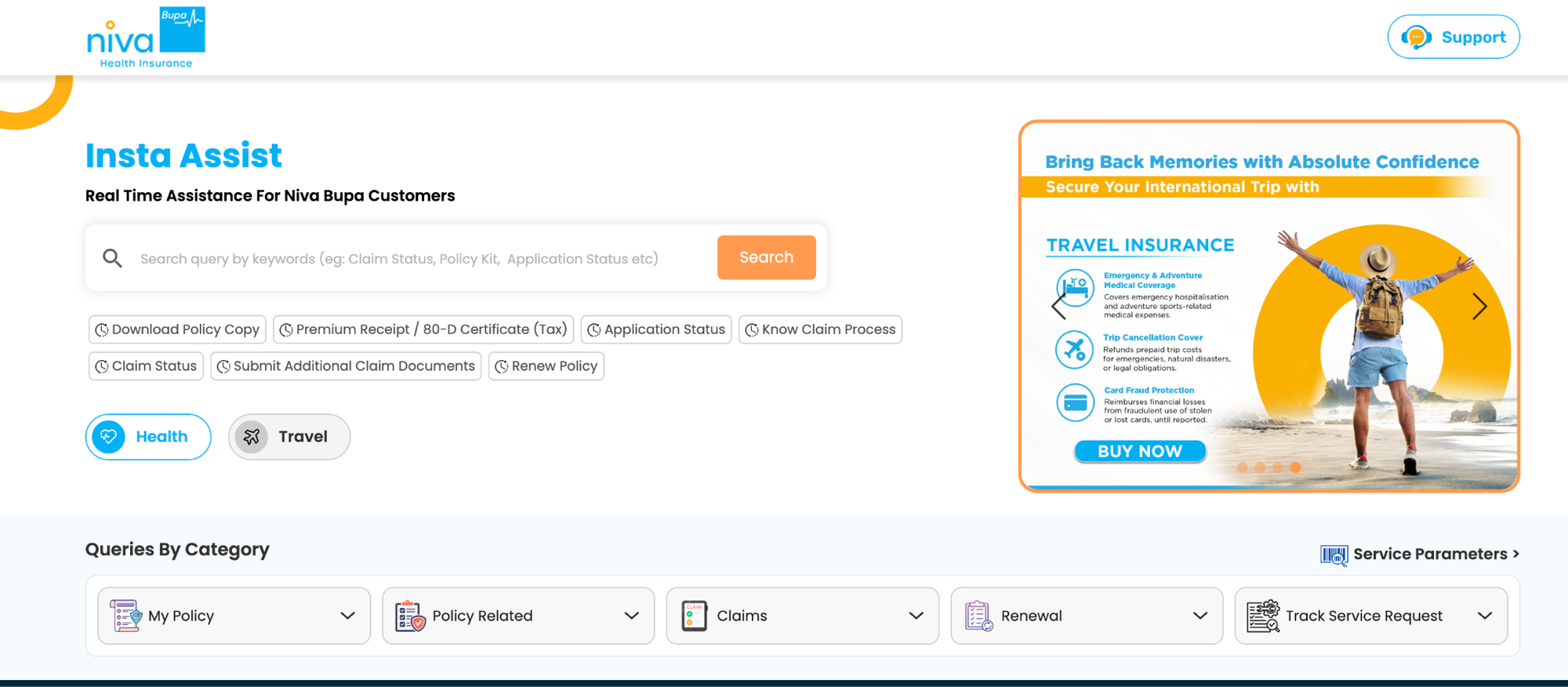
Insta Assist is Niva Bupa's online self-service portal. Here is what you can do on it without calling anyone:
- Download your policy document and premium receipts (useful for Section 80D (now Section 123) tax benefits, under the old tax regime)
- Generate and track service requests
- Submit and track claim status
- Check your application status
- Search for common queries related to claims, renewal, coverage, and support
The Niva Bupa Health App (available on both Play Store and App Store) also allows eligible policyholders to access policy documents, health card, claims services, network hospitals, and health checkup features, depending on the policy benefits. It also helps you access the nearest network hospitals.
Both tools are designed to cut down wait times for routine tasks.
How to Register and Track a Complaint With Niva Bupa
If your issue isn't getting resolved, Niva Bupa has a three-step internal grievance process. Move to the next step only if the previous one doesn't solve your problem.
Step 1: Contact customer care. You can reach Niva Bupa in any of these ways:
- Call the customer helpline at 1860-500-8888.
- Raise a request on Insta Assist.
- If you're a senior citizen, email seniorcitizensupport@nivabupa.com for priority help.
- Visit a branch office or contact the branch Grievance Redressal Officer.
- Write to: Customer Services Unit, Niva Bupa Health Insurance Company Limited, Logix Infotec Park, D-5, 2nd Floor, Sector 59, Noida 201301 (near Noida Sector 59 Metro Station).
Include your policy number, contact details, and a clear description of the problem.
Step 2: Raise a grievance online. If Step 1 doesn't resolve your issue, submit a complaint through Niva Bupa's grievance portal.
Step 3: Escalate to the Grievance Redressal Officer (GRO). If you're still unhappy, escalate to Niva Bupa's GRO through the same grievance portal.
Keep written records at every step. Screenshots, emails, and reference numbers matter a lot if your complaint goes further.
Escalating Grievances: Bima Bharosa and IRDAI Ombudsman
If Niva Bupa's GRO doesn't resolve your complaint, you have two official options outside the insurer.
- Bima Bharosa (IRDAI): Register a complaint with the Insurance Regulatory and Development Authority of India (IRDAI) on the Bima Bharosa portal. IRDAI forwards it to Niva Bupa and monitors it, and you can track its status on the portal. You can also reach IRDAI at 155255 or 1800-4254-732, or by email.
- Insurance Ombudsman: If you're not satisfied with the outcome, approach the Insurance Ombudsman, which handles disputes independently. You can also go to the Ombudsman directly if Niva Bupa rejects your complaint or doesn't respond within 30 days. You'll find the addresses in your policy document or on the Council for Insurance Ombudsmen website.
Both routes are free. The process may sound intimidating, but it's straightforward once your documents are in order.
Bought Your Policy Through Ditto? We Have You Covered

Why Choose Ditto for Health Insurance?
At Ditto, we’ve assisted over 12,00,000 customers choose the right insurance policy. Why customers like Pallavi love us:
- 100% Free Consultation
- No Spam. No Sales Pressure.
- Rated 4.9/5 on Google Reviews by 30,000+ Happy Customers
- Backed by Zerodha
- Dedicated Claim Support Team
- Compare Plans and Premiums with a Trusted Insurance Advisor
Confused about the right insurance? Speak to Ditto’s certified advisors for free, unbiased guidance. Book your call now or chat with us on WhatsApp. Slots fill up fast!
Conclusion
Niva Bupa offers dedicated contact channels, an easy self-service login via Insta Assist, comprehensive service request options, and a clear grievance process that leads up to IRDAI and the Insurance Ombudsman. Policyholders can confidently manage their Niva Bupa health coverage. Whether it is a routine policy query, a claim in progress, or a dispute that needs escalation, you now know exactly where to go and what to do at every step.
Your next step? Save all the numbers from the table above in your contacts right now. When you actually need them, the last thing you want to do is search around. And if you have a claim in progress or a dispute that feels stuck, reach out to Ditto, and we will take it from there.
Frequently Asked Questions
Last updated on: